Blog

  • Master Your Health with an Intermittent Fasting Window Calculator

    Master Your Health with an Intermittent Fasting Window Calculator

    Finding the right time to eat shouldn’t feel like solving a Rubik’s cube. If you’ve ever found yourself staring at the clock at 7:59 PM, wondering if you have time for one last snack before your fast starts, you aren’t alone. Intermittent fasting (IF) is incredibly effective, but the mental gymnastics of calculating 16:8 or 20:4 schedules can lead to “math fatigue” pretty quickly. This is where an Intermittent Fasting Window Calculator becomes your best friend. Instead of guessing when your next meal should be, this tool provides a clear, personalized roadmap for your day. It removes the friction of planning, allowing you to focus on how you feel rather than watching the seconds tick by.

    What is an Intermittent Fasting Window Calculator and Why it Matters

    At its core, an Intermittent Fasting Window Calculator is a digital assistant designed to align your eating habits with your biological clock. Intermittent fasting isn’t a diet in the traditional sense; it’s a pattern of eating. Whether you are following the popular 16:8 method (fasting for 16 hours and eating for 8) or the more intense One Meal a Day (OMAD) approach, the timing is everything.

    Why does this matter? Consistency is the secret sauce of IF. When you eat within a consistent window, your body enters a state of metabolic flexibility, learning to switch from burning glucose to burning stored fat. If your windows are constantly shifting because you miscalculated the time, your insulin levels stay erratic, and you might miss out on the cellular repair process known as autophagy. Using a calculator ensures you hit your fasting goals precisely, helping you manage hunger hormones like ghrelin and ensuring your body gets the metabolic rest it needs to thrive.

    Step-by-Step Guide: How to Use the Calculator

    Using an Intermittent Fasting Window Calculator is straightforward. Follow these steps to set up your schedule for maximum success:

    • Select Your Ratio: Choose the fasting protocol that fits your lifestyle (e.g., 14:10 for beginners, 16:8 for weight loss, or 18:6 for advanced fat burning).

    • Input Your Start Time: Enter the exact time you plan to finish your last meal of the day. For most people, this is dinner time.

    • Review Your “Fast-Break” Time: The calculator will automatically display the time you can have your first meal the following day.

    • Adjust for Lifestyle: If the calculated “break-fast” time lands in the middle of a busy meeting, adjust your start time until the window fits your daily routine.

    • Set Reminders: Use the output from the calculator to set alerts on your phone for 30 minutes before your window closes.

    Track Progress: Log your successful windows to see your consistency over weeks and months.

    The Math Behind the Fast

    The logic used by an Intermittent Fasting Window Calculator is based on a simple 24-hour cycle, but the science involves tracking the transition from a “fed state” to a “fasted state.”

    The basic formula used for a standard daily fast is:

    $$T_{break} = T_{finish} + T_{fast}$$

    Where:

    • $T_{break}$ is the time you break your fast.

    • $T_{finish}$ is the time you finished your last meal.

    • $T_{fast}$ is the duration of your fast (e.g., 16 hours).

    Mathematically, the calculator also ensures that $T_{fast} + T_{eat} = 24$. In more complex scenarios, such as the 5:2 method, the calculator shifts from hourly math to caloric math, ensuring that on “fasting days,” you consume only 25% of your Total Daily Energy Expenditure (TDEE). By automating these calculations, the tool prevents the common error of “under-fasting,” where a person unintentionally eats 15 hours in instead of 16, missing the peak fat-burning zone.

    Real-Life Scenarios

    Scenario 1: The Corporate Professional

    Sarah works a 9-to-5 job and struggles with late-night snacking. She uses the Intermittent Fasting Window Calculator to set a 16:8 schedule. She inputs her dinner finish time as 7:00 PM. The calculator tells her she can eat at 11:00 AM the next day. This allows her to skip a rushed breakfast, stay focused through her morning meetings, and enjoy a social lunch with colleagues.

    Scenario 2: The Night Owl

    Mark is a freelance designer who works late and sleeps until 10:00 AM. A traditional “no food after 6 PM” rule fails him. He sets his calculator to an 18:6 window. He finishes his final meal at 11:00 PM. The calculator shows his window opens at 5:00 PM the next day. By shifting his window later, he maintains his fast without sacrificing his creative flow during late-night hours.

    FAQs

    1. Can I drink coffee during my fasting window?

    Yes, as long as it is black coffee. Adding cream or sugar triggers an insulin response, which “breaks” the metabolic state the Intermittent Fasting Window Calculator helped you achieve.

    2. What happens if I break my fast early?

    Don’t panic! Simply input your new “finish time” into the calculator for your next meal. Consistency is about the long term, not a single day’s slip-up.

    3. Is the 16:8 window the best for everyone?

    While 16:8 is the most popular, it’s not a one-size-fits-all. Beginners often start with 12:12 or 14:10 to let their bodies adjust before moving to tighter windows.

    Conclusion & CTA

    Mastering your metabolism doesn’t have to be a guessing game. By using an Intermittent Fasting Window Calculator, you take the stress out of the “when” and focus on the “what.” Whether you’re looking to lose weight, improve mental clarity, or simply simplify your life, timing is your greatest tool.

    Ready to take control of your schedule? Try our Intermittent Fasting Window Calculator today and find the perfect rhythm for your body!
  • The Ultimate Pregnancy Due Date Calculator Guide

    The Ultimate Pregnancy Due Date Calculator Guide

    So, you just saw those two life-changing lines on a test? First off, huge congratulations! Once the initial “oh-my-gosh” moment settles, the very next question is almost always: “When do I get to meet my baby?” While the human body doesn’t strictly follow a calendar, a Pregnancy Due Date Calculator is your first essential tool for turning that mystery into a plan. Most parents-to-be feel a mix of excitement and overwhelm, wondering how to track milestones or when to schedule that first doctor’s visit. This guide is designed to take the guesswork out of the equation. We’ll dive into how these calculations work, why your “weeks” might feel a little confusing at first, and how you can use this information to prepare for your new arrival.

    What is a Pregnancy Due Date Calculator and Why it Matters

    A Pregnancy Due Date Calculator is a digital tool used to estimate your Estimated Date of Delivery (EDD). While only about 4% to 5% of babies are actually born exactly on their due date, having an EDD is crucial for several clinical and personal reasons.

    Why Precision Counts

    • Medical Milestone Tracking: Doctors use your due date to ensure the baby is hitting growth targets at the right time.

    • Healthcare Scheduling: Important screenings, like anatomy scans and glucose tests, must happen within specific weekly windows.

    • Personal Preparation: From decorating the nursery to applying for parental leave, having a target month helps you organize your life before the “sleep-deprived” phase begins.

    Understanding your due date isn’t just about the birth; it’s about the 40-week roadmap of pregnancy. Since a typical pregnancy is measured from the first day of your last period (not the day you conceived), the calculator helps bridge the gap between biological timing and the calendar year.

    Step-by-Step Guide: How to Calculate Your Due Date

    Calculating your due date is relatively straightforward if you have the right data. Here is how to use a calculator or do the math yourself:

    • Identify Your LMP: Find the date of the first day of your Last Menstrual Period (LMP). This is the gold standard for most calculators.
    • Determine Cycle Length: If your menstrual cycle is longer or shorter than the average 28 days, adjust the calculation. Most tools allow you to input your average cycle length for better accuracy.
    • Input the Data: Enter your LMP into the calculator tool.
    • Adjust for Conception (Optional): If you happened to be tracking ovulation and know the exact date of conception, some advanced tools allow you to use this for a more “biological” estimate.
    • Review Your Results: The tool will provide your EDD and usually tell you how many weeks and days pregnant you are currently.

    Confirm with Ultrasound: Use the calculated date as a “placeholder” until your first-trimester dating ultrasound, which is the most accurate way to confirm the date.

    The Math Behind It: Naegele’s Rule

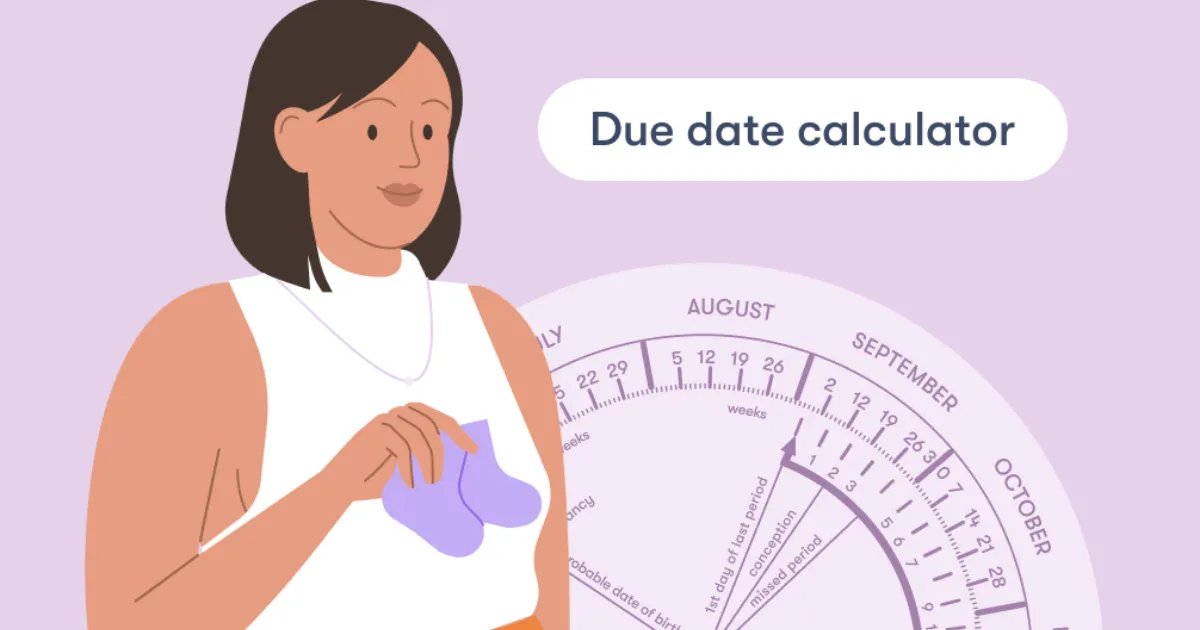
    Most Pregnancy Due Date Calculators rely on a formula known as Naegele’s Rule. It sounds technical, but it’s actually a simple piece of arithmetic based on the assumption that a human pregnancy lasts approximately 280 days (40 weeks) from the start of the last period.

    The standard formula is:

    $$LMP + 7\text{ days} – 3\text{ months} + 1\text{ year}$$

    For example, if your last period started on May 1st, 2025:

    1. Add 7 days: May 8th.

    2. Subtract 3 months: February 8th.

    3. Add 1 year (if applicable): February 8th, 2026.

    The Science of “40 Weeks”

    It might seem strange to count the two weeks before you were actually pregnant (the time between your period and ovulation), but because most women don’t know the exact moment of conception, the LMP provides a fixed, reliable starting point for medical professionals worldwide.

    Real-Life Scenarios

    How does this look in practice? Let’s look at a few common situations:

    Scenario A: The Regular Cycle

    Sarah has a consistent 28-day cycle. Her last period began on January 1st. Using the calculator, her due date is set for October 8th. Because her cycle is “textbook,” her doctor likely won’t change this date unless the ultrasound shows a significant size difference.

    Scenario B: The Long Cycle

    Jasmine has a 35-day cycle. If she uses a standard calculator, it might tell her she is due sooner than she actually is. Because she ovulates later than average, her “biological” due date would be roughly one week later than the standard LMP calculation suggests.

    Scenario C: IVF Pregnancy

    For those using In Vitro Fertilization, the “LMP” is irrelevant. Instead, the calculator uses the date of the embryo transfer. If it was a 5-day blastocyst transfer, the math is adjusted to account for the exact age of the embryo.

    FAQs: Frequently Asked Questions

    1. How accurate is a due date calculator?

    It is a very high-quality estimate, but not a guarantee. It assumes a 28-day cycle and that ovulation occurred on day 14. Since every woman’s body is different, your doctor will likely use a “dating scan” (ultrasound) in the first trimester to confirm the date.

    2. Can my due date change during pregnancy?

    Yes. If an early ultrasound shows the baby is significantly larger or smaller than the LMP suggests, your OB-GYN might “correct” your due date to reflect the ultrasound findings, as these are more accurate in the first 12 weeks.

    3. What if I don’t know the date of my last period?

    Don’t panic! This is very common. In this case, your healthcare provider will rely entirely on an ultrasound to measure the crown-rump length (CRL) of the embryo to determine how far along you are.

    Conclusion & CTA

    Finding out your due date is the first step in a beautiful, transformative journey. While the Pregnancy Due Date Calculator gives you a target to aim for, remember that your baby will arrive when they are ready. Use this date to start your countdown, plan your appointments, and begin the exciting process of preparing for your little one.

    Ready to find out your big day? Use our Pregnancy Due Date Calculator now and start planning for your 2026 arrival!

  • Understanding Ideal Body Weight for Army and PAF

    Understanding Ideal Body Weight for Army and PAF

    Stepping into a recruitment center for the Pakistan Army or the Pakistan Air Force (PAF) is a moment of immense pride, but it often comes with a side of “medical screening anxiety.” One of the most common hurdles candidates face isn’t just the initial intelligence test—it’s the weighing scale. Whether you’re aiming for the GD Pilot seat or an infantry commission, your Ideal Body Weight (IBW) is a non-negotiable metric of your physical combat readiness.

    The military doesn’t care about “looking good” in the traditional sense; they care about your power-to-weight ratio, your endurance, and your ability to withstand high G-forces or grueling treks. If you’ve been worried that you’re a few pounds over or under the limit, you’re in the right place. This guide will break down the exact standards, the science behind the numbers, and how you can align your physique with the rigorous requirements of the armed forces.

    What is Ideal Body Weight and Why it Matters

    In the context of the Army and PAF, Ideal Body Weight is a standardized measurement based on your height, age, and gender. Unlike a local gym where “bulking” might be the goal, the military views excess weight as a liability.

    Why the Military is Strict About Weight:

    • Agility and Combat Effectiveness: Carrying extra weight increases the oxygen demand on your muscles. In a high-stakes environment, every extra pound is “dead weight” that slows down your reaction time and endurance.
    • Medical Longevity: The military invests millions in your training. They need officers and airmen who are less prone to joint injuries, cardiovascular issues, and metabolic diseases.
    • The Cockpit Constraint: For PAF candidates, weight is a safety factor. Ejection seats and cockpit dimensions are engineered for specific weight ranges. Being outside those limits could be life-threatening during an emergency.

    • The Discipline Metric: In the eyes of a selection board, maintaining your weight is the first test of your self-discipline and commitment to the uniform.

    Step-by-Step Guide: How to Determine and Reach Your Target Weight

    Calculating your eligibility doesn’t have to be a guessing game. Follow these steps to ensure you meet the medical criteria before your initial or ISSB medical.

    • Step 1: Measure Your Accurate Height: Stand barefoot against a wall. Ensure your heels, buttocks, and back of the head are touching the surface. Mark the top of your head and measure in inches and centimeters.

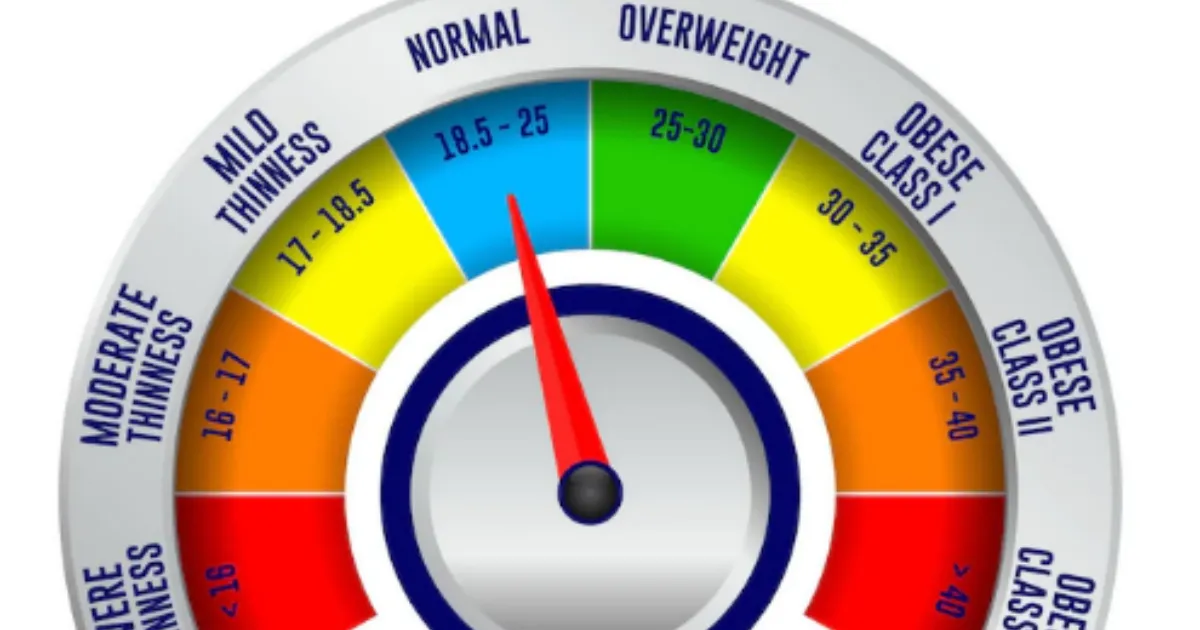
    • Step 2: Consult the BMI Chart: The Army and PAF primarily use the Body Mass Index (BMI) as an initial screening tool. Generally, a BMI between 18.5 and 24.9 is the “Green Zone.”

    • Step 3: Check the Age-Specific Tables: Requirements relax slightly as you get older. A 17-year-old candidate for the PMA Long Course has stricter weight limits than a 28-year-old candidate for the Short Service Commission.

    • Step 4: Assess Your Body Composition: If you are heavily muscled and the scale says you are “overweight,” the medical board may perform a “waist-to-hip” ratio or skinfold test to ensure it is muscle, not fat.

    • Step 5: Adjust Your Caloric Intake: If you need to lose weight, aim for a deficit of 500 calories per day. If you need to gain, focus on protein-rich surplus.

    • Step 6: Consistent Cardio and Strength Training: Mix running (for endurance) with bodyweight exercises like push-ups and pull-ups to ensure your weight is functional.

    The Math Behind the Military Weight Standard

    The primary formula used by the Pakistan Army and PAF medical boards is the Body Mass Index (BMI), though they often refer to a simplified Height-to-Weight Chart.

    The formula for BMI is:

    $$BMI = \frac{Weight (kg)}{Height (m)^2}$$

    How to calculate it:

    1. Convert your height from inches to meters (e.g., 5’7″ is approx. 1.70m).

    2. Square that number ($1.70 \times 1.70 = 2.89$).

    3. Divide your weight in kilograms by that result.

    The Military Threshold:

    • Underweight: BMI < 18.0 (Likely temporary rejection/T-Unfit)

    • Ideal: BMI 18.5 – 24.5 (Fit)

    • Overweight: BMI 25.0 – 29.9 (Usually given a 3-4 week deadline to lose weight)

    • Obese: BMI > 30.0 (Permanent or serious temporary rejection)

    Real-Life Scenarios: Are You Fit to Join?

    To make this clearer, let’s look at how two different candidates might be assessed during their initial medical exam.

    Scenario A: The Aspiring Pilot (PAF)

    Ahmed is 19 years old and stands 5’9″ (175 cm). His current weight is 82 kg.

    • Calculation: His BMI is approximately 26.8.

    • Verdict: Ahmed is considered “Overweight” by PAF standards. For a GD Pilot, the standards are exceptionally lean. He would likely be marked “Temporary Unfit” and told to return in 30 days after losing 5-7 kg.

    Scenario B: The PMA Long Course Candidate

    Zain is 18 years old and is 5’6″ (167 cm). He weighs 52 kg.

    • Calculation: His BMI is approximately 18.6.

    • Verdict: Zain is right on the edge of the “Underweight” category but falls within the “Fit” range. However, the medical officer might advise him to build more muscle mass to handle the rigors of Kakul Academy.

    Frequently Asked Questions (FAQs)

    1. What happens if I am 2-3 kg over the limit on the medical day?

    In most cases, for the initial medical, the doctors are lenient if you show a fit physique. They may mark you “Fit” but advise you to lose it before ISSB. If you are significantly over, you will be given a “Temporary Unfit” status and a date to reappear.

    2. Does the PAF have different weight rules than the Army?

    Yes. The PAF, especially for the GD (P) branch, is generally stricter. Pilots must fit into specific seat dimensions and handle high G-forces, where excess body fat can impede blood circulation and lead to “G-LOC” (G-induced Loss of Consciousness).

    3. Can I be rejected for being too thin?

    Absolutely. Being underweight (typically a BMI below 17.5 or 18) suggests a lack of physical strength and bone density. The military requires a certain level of “robustness” to carry heavy gear and perform under stress.

    Conclusion & CTA

    Meeting the Ideal Body Weight for the Army or PAF is more than just a box to tick—it is the foundation of your career as a soldier or airman. Your weight is a reflection of your discipline, your health, and your readiness to serve. Don’t wait for the medical officer to tell you that you’re unfit; take control of your fitness today.

    Ready to start your journey? Use the BMI formula provided above to check your current status. If you’re within the range, focus on stamina. If not, start your training regime today!

  • The Ultimate Water Intake Calculator by Weight Guide

    The Ultimate Water Intake Calculator by Weight Guide

    Are you feeling a bit sluggish, dealing with a nagging headache, or noticing your skin looks a little dull? Believe it or not, the solution might be sitting right in your kitchen tap. Most of us know we should “drink more water,” but the old-school advice of eight glasses a day is a bit like wearing a one-size-fits-all hat—it rarely fits perfectly. Your body is unique, and your hydration needs depend heavily on your specific body mass.

    This is where a Water Intake Calculator by Weight becomes your best friend. Instead of guessing, this tool uses your personal data to give you a precise daily target. By tailoring your hydration to your weight, you ensure your cells are fueled, your joints stay lubricated, and your energy levels remain steady. Let’s dive into how this simple calculation can transform your daily wellness routine and keep you performing at your absolute peak.

    What is a Water Intake Calculator by Weight and Why It Matters

    A Water Intake Calculator by Weight is a digital tool designed to determine the specific volume of fluid your body requires to function optimally based on your total body mass. While factors like humidity and activity level play a role, your weight is the primary baseline for metabolic water requirements.

    Why Precision Matters

    Water isn’t just a thirst quencher; it’s the primary conductor for almost every chemical reaction in your body. If you are under-hydrating for your size, you might experience:

    • Cognitive Fog: Even 1-2% dehydration can impair memory and focus.
    • Digestive Issues: Water is essential for processing fiber and moving waste.
    • Metabolic Slowdown: Proper hydration helps your body burn calories more efficiently.


    Using a weight-based approach ensures that a 200-lb athlete and a 120-lb office worker aren’t following the same generic advice. It moves hydration from a “chore” to a personalized health strategy, allowing you to track your progress with scientific accuracy.

    Step-by-Step Guide: How to Calculate Your Daily Needs

    Using a Water Intake Calculator by Weight is straightforward, but knowing how to adjust the numbers for your lifestyle is key. Follow these steps to find your “Magic Number”:

    • Step 1: Determine Your Current Weight: Weigh yourself in the morning for the most accurate baseline.
    • Step 2: Apply the Base Formula: Multiply your weight in pounds by 0.5 to 0.67 (or roughly 30ml to 35ml per kilogram). This gives you your baseline ounces for a sedentary day.
    • Step 3: Account for Physical Activity: For every 30 minutes of intense exercise, add 12 ounces (approx. 350ml) to your total.
    • Step 4: Factor in Your Environment: If you live in a hot or humid climate, increase your total by another 10-15%.
    • Step 5: Divide Into Manageable Goals: Don’t drink it all at once! Divide your total by your waking hours to see how much you need per hour.
    • Step 6: Track and Adjust: Use a reusable bottle with measurements to ensure you’re hitting those marks throughout the day.

    The Math Behind the Hydration

    The science of hydration is rooted in maintaining homeostasis. While it seems complex, the mathematical foundation used by most calculators is actually quite elegant.

    The standard physiological recommendation is often based on the ratio of water to body mass. In the medical community, the formula often used for a healthy adult is:

    $$W_{total} = (Body\,Weight\,in\,kg \times 35ml)$$

    Alternatively, if you prefer the Imperial system, the math looks like this:

    $$Total\,Ounces = Weight\,(lbs) \times 0.5$$

    Why these numbers?

    Our bodies are roughly 60% water. Every day, we lose water through respiration, perspiration, and filtration via the kidneys. The “0.5 oz per pound” rule provides enough volume to replace these losses and maintain the blood’s osmotic pressure. If you are more active, the multiplier moves toward 0.67, accounting for the increased metabolic heat and sweat loss.

    Real-Life Scenarios: Putting the Calculator to Work

    To see how the Water Intake Calculator by Weight functions in the real world, let’s look at three different individuals:

    1. The Sedentary Professional:

      Sarah weighs 140 lbs and spends most of her day at a desk.

      • Calculation: $140 \times 0.5 = 70$ ounces.

      • Goal: Roughly 9 cups of water per day to stay sharp and avoid the “3 PM slump.”

    2. The Active Gym-Goer:

      Mike weighs 200 lbs and does a high-intensity 60-minute workout daily.

      • Base Calculation: $200 \times 0.5 = 100$ ounces.

      • Exercise Adjustment: +24 ounces for 60 mins of sweat.

      • Goal: 124 ounces (nearly a gallon) to support muscle recovery.

    3. The Small-Statured Hiker:

      Elena weighs 110 lbs but is hiking in a dry, high-altitude area.

      • Base Calculation: $110 \times 0.5 = 55$ ounces.

      • Environment/Activity Adjustment: +20 ounces.

      • Goal: 75 ounces to prevent altitude-related dehydration.

    Frequently Asked Questions (FAQs)

    1. Can I drink too much water?

    Yes, it is possible, though rare for healthy individuals. This is called hyponatremia, where sodium levels in the blood become dangerously low. This is why following a Water Intake Calculator by Weight is better than just drinking endless amounts—it gives you a safe upper limit.

    2. Do coffee and tea count toward my goal?

    Surprisingly, yes! While caffeine has a slight diuretic effect, the water in these beverages still contributes to your overall hydration. However, plain water is always the most efficient source for your body to process.

    3. Does my age affect how much water I need?

    Absolutely. As we age, our thirst mechanism becomes less sensitive, and our body’s water composition changes. While weight is the best starting point, older adults should be more proactive about sipping water even when they don’t feel thirsty.

    Conclusion & CTA

    Hydration is the simplest, cheapest, and most effective performance enhancer available. By using a Water Intake Calculator by Weight, you move away from guesswork and toward a data-driven approach to your health. Whether you want more energy, clearer skin, or better workouts, it all starts with that first glass of water.

    Ready to optimize your health? Use our interactive calculator today to find your personalized hydration goal and start your journey to a more energized, hydrated you!

  • Why You Need a Domain Age Calculator Today

    Why You Need a Domain Age Calculator Today

    Starting a new SEO project can feel like being the new kid at a high school where everyone already has their cliques and reputations. You’re staring at a competitor who seems to rank effortlessly for every keyword, and you’re wondering, “What do they have that I don’t?” More often than not, the answer is time. In the world of search engines, time translates to “Domain Age,” a critical factor that acts as a digital credit score for your website.

    Understanding the age of a domain isn’t just about satisfying your curiosity; it’s about strategic intelligence. Whether you are looking to purchase a premium expired domain to jumpstart your growth or analyzing why a competitor dominates the SERPs, a Domain Age Calculator is your most essential diagnostic tool. It strips away the mystery, showing you exactly how long a site has been building its “trust” with Google. Let’s dive into why this metric is the backbone of veteran SEO strategies and how you can use it to gain a competitive edge.

    What is a Domain Age Calculator and Why it Matters

    A Domain Age Calculator is a specialized SEO tool that identifies the exact date a domain name was first registered and how long it has existed. While it sounds simple, the implications for your SEO strategy are massive. Think of a domain like a fine wine or a professional reputation—it generally gets better and more trusted as it gets older.

    Why It Matters for SEO

    Search engines, particularly Google, place a high value on E-E-A-T (Experience, Expertise, Authoritativeness, and Trustworthiness). A domain that has been active for ten years without any “black hat” penalties is seen as much more reliable than a domain registered yesterday. New domains are often subject to the “Google Sandbox,” a period where the search engine cautiously observes the site before letting it rank for competitive terms.

    By using a Domain Age Calculator, you can:

    • Vet Potential Purchases: Ensure an “aged” domain isn’t just a month old.

    • Analyze Competitors: Determine if a rival is winning because of better content or simply because they’ve been around since 2005.

    • Audit Backlinks: Check the age of sites linking to you; links from older, established domains carry significantly more “link juice.”

    Step-by-Step Guide: How to Use a Domain Age Calculator

    Using this tool is straightforward, but interpreting the data like a pro is where the real value lies. Follow these steps to get the most out of your analysis:

    • Step 1: Input the URL: Copy the full domain address (e.g., example.com) into the tool’s search bar. You don’t usually need the https:// prefix.

    • Step 2: Run the Check: Click the “Check Domain Age” button. The tool will query the WHOIS database and historical archives.

    • Step 3: Review the Registration Date: Look for the “Created Date.” This tells you when the domain was first born.

    • Step 4: Check the Expiry and Update Dates: A domain that is renewed for multiple years into the future often signals to search engines that the owner is serious and not a “fly-by-night” spammer.

    • Step 5: Verify via Wayback Machine: If the tool provides a link to the Internet Archive, use it. A domain might be 10 years old, but if it was “parked” or empty for 9 of those years, it won’t have the same SEO power as a site that was consistently active.

    • Step 6: Export for Comparison: If you are doing competitor research, log the ages of the top 10 ranking sites in a spreadsheet to find the “average age” required to rank for your target keyword.

    The Math and Logic Behind Domain Authority

    While there isn’t a single “multiplication formula” that Google uses, the logic behind domain age is rooted in Probability and Decay Models. Search engines use historical data to calculate the likelihood that a website is a high-quality resource versus a spam site.

    In technical terms, we can look at the relationship between Age ($A$) and Trust ($T$) as a non-linear growth function. In the early stages, the “Trust” grows slowly (the Sandbox effect), but as the site persists without violations, the growth curve steepens.

    $$T \approx \log(A) + B$$

    In this simplified model, $T$ represents the Trust score, $A$ is the Age in years, and $B$ represents the “Backlink Profile” quality. As $A$ increases, the logarithmic growth ensures that while an older site has an advantage, a younger site can eventually catch up if its Backlink Profile ($B$) is significantly superior. The math tells us that consistency + time = authority.

    Real-Life Scenarios: Putting the Tool to Work

    Scenario 1: The “Aged Domain” Investment

    Sarah is looking to start a tech blog. She finds a domain for sale called TechPioneer.com that claims to be 15 years old for $500. She uses the Domain Age Calculator and discovers the domain was actually dropped and re-registered only 6 months ago. The tool saves her $500 by revealing that the “SEO age” was reset, and the domain is effectively a newborn.

    Scenario 2: Competitive Analysis

    A local bakery, “Sweet Treats,” is frustrated that “Grandma’s Oven” always ranks #1. Using the calculator, the owner sees that “Grandma’s Oven” was registered in 1998, while “Sweet Treats” started in 2023. This realization changes their strategy: instead of trying to out-rank them on “age,” they focus on “freshness” and local social media signals to bypass the age gap.

    Scenario 3: Link Building Outreach

    You receive a guest post offer from a site that looks polished. You run it through the calculator and see the domain is only 30 days old. You realize they are likely a “link farm” and decline the offer to protect your site from a potential Google penalty.

    FAQs: Everything You Need to Know

    1. Does a domain’s age reset if I buy it?

    If the domain registration never expires and is simply transferred, the age usually stays intact. However, if a domain expires and “drops” back to the registry before you buy it, the age (and SEO authority) often resets to zero.

    2. Is a 10-year-old domain always better than a 1-year-old one?

    Not necessarily. A 1-year-old domain with high-quality content and powerful backlinks can outrank a 10-year-old domain that has been neglected, contains thin content, or has a “toxic” link profile. Age is a “booster,” not a guarantee.

    3. Can I hide my domain’s age from calculators?

    While you can use “WHOIS Privacy” to hide your personal contact details, the actual registration, update, and expiry dates of a domain are public record and cannot be hidden from SEO tools.

    Conclusion & CTA

    Domain age is the “silent partner” in your SEO strategy. It provides the foundation of trust that allows your content and keywords to truly shine. By using a Domain Age Calculator, you stop guessing and start making data-driven decisions about your competition and your digital investments.

    Ready to see where you stand? Use our professional Domain Age Calculator now to audit your site and see how much “authority equity” you’ve built over the years!

  • Why Your Password is Probably Weak: The Ultimate Guide to Password Entropy

    Why Your Password is Probably Weak: The Ultimate Guide to Password Entropy

    If you’ve ever been told your password needs an uppercase letter, a number, and a special character, you’ve felt the frustration of modern security. But here is the secret: those arbitrary rules don’t actually make your password “strong”—entropy does.

    Welcome to the world of Password Entropy, the scientific way to measure how hard it is for a computer to guess your secret. Whether you are protecting your bank account or your gaming profile, understanding the math behind your password is the difference between staying safe and getting hacked in seconds. Most people treat passwords like a chore, but with a Password Entropy Calculator, you can turn digital security into a precise science. This guide will walk you through why your current “P@ssword123” is a disaster and how to build an unbreakable digital fortress.

    What is Password Entropy and Why It Matters

    In simple terms, Password Entropy is a measurement of how unpredictable a password is. Think of it like a deck of cards; the more you shuffle it and the more cards you add, the harder it is for someone to guess the exact order of the deck.

    In the world of cybersecurity, entropy is measured in bits. The higher the bit count, the more attempts a hacker’s “brute-force” software must make to crack it.

    Why It Matters

    Most hackers don’t sit in a dark room guessing your pet’s name. They use powerful computers that can try billions of combinations per second.

    • Predictability is the Enemy: If you use common words or short strings, entropy is low, and the “search space” for a hacker is small.
    • Time is Money: High entropy increases the time required to crack a password from milliseconds to millions of years.
    • Quality over Complexity: It’s not just about using weird symbols; it’s about length and the variety of characters used (the character set).
    • Using a calculator allows you to visualize this invisible strength, moving beyond guesswork to data-backed security.
    • Step-by-Step Guide: How to Use a Password Entropy Calculator
    • Ready to test your strength? Follow these steps to evaluate your passwords and generate better ones.
    • Step 1: Select Your Character Set

      Before typing, identify what you are using. Are you only using lowercase letters (26 possibilities)? Or are you including uppercase, numbers, and symbols (95+ possibilities)?

    • Step 2: Enter Your Password (Carefully)

      Type your password into the calculator. Pro Tip: Never enter your actual live passwords into an untrusted website. Use a variation that follows the same pattern to test the logic.

    • Step 3: Analyze the Bit Score

      The tool will output a number in bits. Here is how to read the results:

      • < 40 bits: Very Weak (Cracked instantly).

      • 40–60 bits: Weak (Cracked in days/weeks).

      • 60–80 bits: Strong (Safe for most personal accounts).

      • 128+ bits: Ultra-Secure (The gold standard).

    • Step 4: Adjust and Re-Test

      If your score is low, try adding length rather than just symbols. Notice how adding three random letters often increases entropy more than changing an “s” to an “$”.

    • Step 5: Apply to Your Password Manager

      Once you find a pattern that yields high entropy, use it to update your primary accounts.

    • The Math Behind the Strength: The Entropy Formula
    • You don’t need a PhD in mathematics to understand how this works, but seeing the formula helps you realize why length is king.
    • The standard formula for password entropy is:
    • $$E = L \times \log_2(R)$$
    • Where:
    • $E$ is the information entropy in bits.
    • $L$ is the length of the password (number of characters).
    • $R$ is the size of the pool of characters you are choosing from (the range).
    • Why Length Wins
    • The “Range” ($R$) is logarithmic, while the “Length” ($L$) is a linear multiplier. This means that doubling the length of your password is exponentially more effective than doubling the complexity of the characters used.
    • For example, a 20-character password made of only lowercase letters is often much stronger than an 8-character password filled with complex symbols. This is why “passphrases” (long strings of random words) are the modern standard for security.
    • Real-Life Scenarios: Entropy in Action
    • Let’s look at how this math translates to the real world.
    • Scenario 1: The “Complex” Short Password
    • Password: P@ss12

    • Entropy: ~28 bits.

    • Outcome: Even though it has a capital letter, a symbol, and numbers, a modern GPU can crack this in less than a second. It feels “strong” to a human but is “transparent” to a machine.

    • Scenario 2: The “Simple” Passphrase
    • Password: correct-horse-battery-staple

    • Entropy: ~100+ bits.

    • Outcome: Because it is long and uses a wide range of characters (including hyphens), it would take a supercomputer decades to guess this by brute force.

    • Scenario 3: The Randomly Generated Key
    • Password: 4f9*K!zL29vQ

    • Entropy: ~75 bits.

    • Outcome: This is a very strong password for a banking app. It’s hard to memorize, which is why we recommend using a password manager to store high-entropy strings like this.

    • Frequently Asked Questions (FAQs)
    • 1. Is a 12-character password enough?
    • Generally, yes, provided it is truly random. A 12-character password with mixed cases, numbers, and symbols usually provides about 72 bits of entropy, which is currently considered “strong” for most online services.
    • 2. Why is length more important than special characters?
    • Because of the way the math works. Adding one extra character to your password length increases the total possible combinations much more drastically than simply swapping a letter for a similar-looking symbol (like ‘a’ for ‘@’).
    • 3. Do spaces count toward entropy?
    • Absolutely! If a system allows spaces, they act as another character in your “Range” ($R$). Using spaces in a long passphrase is an excellent way to boost entropy while keeping the password easy for you to remember.
    • Conclusion: Take Control of Your Security
    • Understanding password entropy takes the mystery out of cybersecurity. It’s not about following annoying rules; it’s about making the “search space” so large that a hacker’s computer would have to run until the end of time to find your key.
    • Stop guessing and start measuring. Use our Password Entropy Calculator today to audit your most important accounts. If your score is below 60 bits, it’s time for an upgrade!
  • Master the Squeeze: The Ultimate Video File Size Compressor Estimator Guide

    Master the Squeeze: The Ultimate Video File Size Compressor Estimator Guide

    Have you ever tried to send a high-quality video over email or upload a 4K masterpiece to social media, only to be met with the dreaded “File size too large” error? It is one of the most frustrating digital roadblocks today. As we move toward higher resolutions like 1080p and 4K, our video files are ballooning into gigabytes, making them nearly impossible to share or store efficiently.

    This is where a Video File Size Compressor Estimator becomes your digital best friend. Instead of playing a guessing game with your export settings—hoping the final file lands under the 25MB email limit—this tool allows you to predict the outcome before you even hit “Render.” In this guide, we’ll dive deep into how video compression works, the math that governs your file sizes, and how you can use an estimator to save time, storage, and sanity.

    What is a Video File Size Compressor Estimator and Why it Matters

    At its core, a Video File Size Compressor Estimator is a predictive tool used by creators, editors, and everyday users to determine how large a video file will be after it has been compressed. It calculates the final “weight” of your media based on variables like duration, resolution, and the most critical factor: Bitrate.

    Why Does it Matter?

    • In an era where “content is king,” the efficiency of that content is just as vital. Understanding your expected file size is crucial for several reasons:
    • Bandwidth Management: If you are a streamer or a web developer, knowing the file size helps you ensure your audience can play videos without constant buffering.
    • Storage Optimization: Whether you’re using a smartphone or a professional server, space is a finite resource. Estimating sizes helps you plan your cloud storage needs.
    • Workflow Efficiency: Professionals don’t want to wait three hours for a 10GB export only to realize it needs to be 2GB. An estimator provides the “blueprint” before the work begins.
    • Platform Compliance: Most platforms have strict limits (e.g., Discord’s 25MB or WhatsApp’s 2GB). Estimating ensures you hit those targets on the first try.

    Step-by-Step Guide: How to Estimate and Compress Your Video

    Using a compressor estimator is straightforward once you know which numbers to look for. Follow these steps to get an accurate prediction:

    1. Identify Your Video Duration: Note the exact length of your video in seconds. (e.g., a 2-minute video is 120 seconds).
    2. Determine Your Target Quality (Resolution): Decide if you need 4K (3840×2160), 1080p (1920×1080), or 720p (1280×720). Higher resolution doesn’t always mean a bigger file—the bitrate does—but higher resolutions require higher bitrates to look good.
    3. Choose a Target Bitrate: This is the “speed” of data. For a clear 1080p video, 5 Mbps (Megabits per second) is a standard target. For 4K, you might look at 20-30 Mbps.
    4. Input Data into the Estimator: Plug your duration and target bitrate into your estimator tool.
    5. Calculate and Convert: The tool will likely give you a result in Megabits ($Mb$). Since we measure storage in Megabytes ($MB$), you must divide the result by 8.
    6. Adjust Settings in Your Compressor: Open your compression software (like HandBrake or Adobe Media Encoder) and set the “Target Bitrate” to match the one you used in your estimate.
    7. Final Export: Hit start! Your final file should be within 5-10% of your estimated size.

    The Math Behind the Squeeze: The Formula

    The secret to video file size isn’t magic; it’s a simple mathematical relationship between time and data flow. The primary formula used by any professional estimator is:

    $$\text{File Size} = \frac{\text{Bitrate (Mbps)} \times \text{Duration (seconds)}}{8}$$

    Why “8”?

    This is where many people get confused. Data “speed” (bitrate) is measured in bits (lowercase ‘b’), but storage is measured in Bytes (uppercase ‘B’). There are exactly 8 bits in 1 Byte. Therefore, if your video has a bitrate of 8 Mbps, it consumes 1 Megabyte of storage every second.

    The Codec Factor

    While the formula provides a “raw” estimate, the Codec (like H.264 or H.265/HEVC) acts as a multiplier of efficiency.

    • H.264: The standard. Reliable but less efficient.
    • H.265 (HEVC): The modern pro. It can often provide the same visual quality as H.264 at half the bitrate. This means you can cut your file size in half just by switching the codec!

    Real-Life Scenarios: Putting Estimation into Practice

    To help you visualize how this works, let’s look at three common scenarios users face:

    Scenario 1: The Social Media Creator

    Goal: Upload a 60-second “Short” or “Reel” in 1080p.

    • Target Bitrate: 6 Mbps (High quality for mobile).

    • Calculation: $(6 \text{ Mbps} \times 60 \text{ seconds}) / 8 = 45 \text{ MB}$.

    • Result: This file is perfect for a quick upload without losing sharpness.

    Scenario 2: The Webinar Archiver

    Goal: Save a 1-hour (3600 seconds) Zoom presentation for internal review.

    • Target Bitrate: 2 Mbps (Low motion content doesn’t need much data).

    • Calculation: $(2 \text{ Mbps} \times 3600 \text{ seconds}) / 8 = 900 \text{ MB}$.

    • Result: You’ve kept a full hour under 1GB, saving massive amounts of cloud storage.

    Scenario 3: The 4K Filmmaker

    Goal: Export a 10-minute (600 seconds) 4K cinematic travel vlog.

    • Target Bitrate: 40 Mbps (To preserve high detail).

    • Calculation: $(40 \text{ Mbps} \times 600 \text{ seconds}) / 8 = 3,000 \text{ MB (or 3GB)}$.

    • Result: You know exactly how much space you need on your thumb drive before you leave the studio.

    Frequently Asked Questions (FAQs)

    1. Does reducing the resolution always reduce the file size?

    Not necessarily. File size is determined by bitrate × duration. You can have a 4K video with a very low bitrate that is smaller than a 720p video with a very high bitrate. However, 4K usually requires a higher bitrate to avoid looking blurry or “pixelated.”

    2. What is the difference between CBR and VBR?

    CBR (Constant Bitrate) maintains the same data rate throughout the video, making file size prediction 100% accurate. VBR (Variable Bitrate) lowers the data during simple scenes (like a black screen) and increases it during complex ones (like an explosion). VBR is more efficient but makes the final size harder to estimate exactly.

    3. Which codec should I use for the smallest file size?

    Currently, H.265 (HEVC) or AV1 are the best choices. They use advanced algorithms to find “redundant” pixels, allowing them to shrink files significantly more than the older H.264 standard while keeping the image crisp.

    Conclusion & CTA

    Understanding how to estimate your video file size is the difference between a seamless digital workflow and hours of wasted time. By mastering the relationship between bitrate and duration, you take full control of your media.

    Stop guessing and start calculating! Use our Video File Size Compressor Estimator today to perfectly size your next project for any platform.

  • YouTube Money Calculator: Estimate Your Earnings with Regional CPM

    YouTube Money Calculator: Estimate Your Earnings with Regional CPM

    Ever wondered why a YouTuber with a million views might be struggling to pay rent while another with just 50,000 views is buying a new Tesla? The secret isn’t just “luck”—it’s the math of Regional CPM.

    If you’re a creator, understanding how much your content is actually worth in different parts of the world is the difference between a hobby and a high-paying career. Our YouTube Money Calculator is designed to strip away the mystery, helping you forecast your revenue based on where your audience lives and what they’re watching. Whether you’re targeting viewers in New York or New Delhi, this tool gives you the hard data you need to strategize like a pro.

    What is a YouTube Money Calculator and Why it Matters

    A YouTube Money Calculator is an analytical tool that estimates potential ad revenue for a channel or specific video. Unlike a simple “views-to-dollars” converter, a professional-grade calculator accounts for CPM (Cost Per Mille) and RPM (Revenue Per Mille).

    Why Regional CPM is the Real King

    CPM is what advertisers pay for every 1,000 ad impressions. However, this rate isn’t universal. Advertisers in “Tier 1” countries (like the USA, Australia, or Norway) have much higher budgets than those in “Tier 3” countries.

    • Purchasing Power: Advertisers pay more to reach viewers who have more disposable income.
    • Market Competition: In highly developed digital markets, more brands are bidding for the same ad spots, driving prices up.
    • Niche Relevancy: A tech review watched in Switzerland might generate a $20 CPM, while the exact same video watched in a lower-CPM region might only generate $2.

    Using a calculator allows you to see these discrepancies clearly. It helps you decide if you should pivot your content to a more lucrative audience or if your current “low” earnings are actually standard for your specific demographic.

    Step-by-Step Guide: How to Use the YouTube Money Calculator

    Estimating your take-home pay doesn’t require a degree in finance. Follow these steps to get an accurate projection:

    • Step 1: Input Your Daily or Monthly Views Enter the average number of views your channel receives. Be realistic—use your “Last 28 Days” average from YouTube Analytics for the most accurate results.
    • Step 2: Select Your Primary Audience Region This is where the “Regional” part matters. Select the country where the majority of your viewers reside. If your audience is split, run the calculation for your top three countries separately to see the range.
    • Step 3: Choose Your Content Niche Select your category (e.g., Finance, Gaming, Education). High-intent niches like Finance or B2B typically command 5x higher CPMs than general Entertainment.
    • Step 4: Adjust the Monetization Rate Not every view shows an ad. On average, only 40% to 60% of views are “monetized” due to ad blockers or viewers skipping ads. Adjust this slider based on your channel’s history.
    • Step 5: Review the Estimates The tool will provide a Daily, Monthly, and Yearly breakdown. It will also show you the difference between the Gross Revenue (what advertisers pay) and your Net Earnings (what actually hits your bank account).

    The Math Behind the Money: The Formula Explained

    To understand the calculator’s output, you need to understand the relationship between CPM and your actual paycheck. YouTube famously takes a 45% cut of ad revenue, leaving you with 55%.

    The core formula for your estimated earnings is:

    $$\text{Estimated Earnings} = \left( \frac{\text{Total Views}}{1,000} \right) \times \text{CPM} \times \text{Monetization Rate} \times 0.55$$

    In 2026, we also look at RPM (Revenue Per Mille), which is a cleaner metric for creators because it already accounts for YouTube’s cut and non-monetized views.

    $$\text{RPM} = \left( \frac{\text{Total Earned Revenue}}{\text{Total Views}} \right) \times 1,000$$

    If your calculator shows a CPM of $10.00 and you have a 50% monetization rate, your effective RPM would be approximately $2.75. This is why “million-view” videos can vary so wildly in payouts.

    Real-Life Scenarios: High CPM vs. Low CPM

    To see the impact of geography and niche, let’s look at two hypothetical creators:

    Scenario 1: The US-Based Finance Guru

    • Niche: Crypto & Investing

    • Region: United States (High CPM: $30.00)

    • Views: 100,000 per month

    • Estimated Earnings: At a $15.00 RPM (post-cut), this creator earns $1,500/month.

    Scenario 2: The Global Gaming Streamer

    • Niche: Minecraft Gameplay

    • Region: India/Southeast Asia (Lower CPM: $3.00)

    • Views: 1,000,000 per month (10x more views than Scenario 1!)

    • Estimated Earnings: At a $1.20 RPM, this creator earns $1,200/month.

    The Lesson: Even with 10 times the audience, the gaming creator earns less because of the regional and niche-based ad value. This is why “chasing views” isn’t always as profitable as “chasing the right audience.”

    FAQs: Top 3 Questions About YouTube Earnings

    1. Why is my actual payout lower than the calculator’s estimate? The most common reason is the Monetization Rate. If a large portion of your audience uses ad blockers or watches on platforms where ads aren’t served, your “Monetized Playbacks” will be much lower than your total “Views.”

    2. Which countries have the highest YouTube CPM in 2026? Currently, Norway, Switzerland, the United States, Australia, and Canada lead the charts. These regions have high advertiser competition and strong consumer purchasing power.

    3. Does video length affect my CPM? Yes! Videos longer than 8 minutes allow for mid-roll ads. This effectively increases your “Ad Impressions” per view, which can significantly boost your total revenue even if the base CPM remains the same.

    Conclusion & CTA

    Success on YouTube is a blend of creativity and data. By using the YouTube Money Calculator (Regional CPM), you stop guessing and start planning. Knowing the value of your audience allows you to negotiate better sponsorships, choose more profitable video topics, and set realistic financial goals.

    Ready to see what your channel is worth? Use our calculator today to analyze your potential and start optimizing your content for the highest-paying regions!

  • The Ultimate Instagram Engagement Rate Calculator Guide

    The Ultimate Instagram Engagement Rate Calculator Guide

    Are your Instagram posts being met with a wall of silence? You aren’t alone. In 2026, the “Follower Count” is officially a vanity metric. Brands, influencers, and savvy creators have shifted their focus to a much more telling number: the engagement rate. While your follower count tells the world how many people could see your content, your engagement rate reveals how many people actually care about it.

    An Instagram Engagement Rate Calculator is the secret weapon you need to bridge the gap between posting into the void and building a thriving community. Instead of manually scrolling through hundreds of posts to count “likes,” this tool does the heavy lifting for you, providing a percentage that reflects the true health of your account. In this guide, we’ll dive into why this metric is the king of 2026 social media and how you can use it to skyrocket your growth.

    What is an Instagram Engagement Rate Calculator and Why it Matters

    An Instagram Engagement Rate Calculator is a digital tool designed to measure the level of interaction your content receives relative to your audience size. It aggregates “signals” like likes, comments, shares, and saves, then compares them against your total followers (or reach) to produce a percentage.

    Why it Matters in 2026

    • Quality Over Quantity: Having 100,000 followers means nothing if only 10 people interact. A high engagement rate proves your audience is real and attentive.
    • The Algorithm Secret: Instagram’s 2026 algorithm prioritizes content that generates “meaningful social interactions.” High engagement signals to the platform that your post is worth showing to a broader audience on the Explore page.
    • Brand Partnership Power: Brands no longer hire influencers based on follower counts. They look for “conversion potential.” A creator with 10,000 followers and a 5% engagement rate is often more valuable than a creator with 100,000 followers and a 0.5% rate.
    • Content Direction: By tracking this metric, you can identify exactly which posts resonate (e.g., Reels vs. Carousels) and stop wasting time on content that falls flat.

    Step-by-Step Guide: How to Use an Engagement Calculator

    Using an automated tool is the fastest way to get results, but you can also do it manually for specific posts. Here is how to use the tool effectively:

    • Step 1: Enter the Username: Input the public Instagram handle you want to analyze. Ensure the account is not set to “Private,” as tools cannot fetch data from restricted profiles.
    • Step 2: Select the Data Range: Most modern calculators allow you to choose between your “Last 10 Posts,” “Last 30 Days,” or a specific date range. For the most accurate “current” health check, choose the last 12–15 posts.
    • Step 3: Analyze the Breakdown: Don’t just look at the final percentage. Look at the ratio of Likes to Comments. In 2026, shares and saves carry more weight in the algorithm than a simple “like.”

    • Step 4: Compare Against Industry Benchmarks: Once you have your number (e.g., 2.5%), compare it to the average for your niche. For example, Higher Education and Sports accounts typically see higher rates than Tech or B2B.
    • Step 5: Export and Track: Save your results in a CSV or PDF. Tracking this weekly allows you to see if your new content strategy is actually moving the needle.

    The Math/Formula Behind It

    While the tool automates the process, understanding the “why” behind the numbers helps you strategize. There are two primary ways to calculate engagement, but the Engagement Rate by Followers (ER) is the industry standard for public benchmarking.

    The Standard Formula

    The basic calculation used by most tools is:

    $$ER = \left( \frac{\text{Total Engagements}}{\text{Total Followers}} \right) \times 100$$

    Breaking Down “Total Engagements”

    In the 2026 landscape, “Total Engagements” is usually defined as the sum of:

    • Likes

    • Comments

    • Shares

    • Saves

    Example:

    If you have 5,000 followers and your latest post receives 150 likes, 20 comments, 15 shares, and 15 saves, your total engagement is 200.

    $$ER = \left( \frac{200}{5,000} \right) \times 100 = 4\%$$

    A 4% engagement rate is considered very healthy for a micro-influencer!

    Real-Life Scenarios

    Scenario 1: The “Vanity” Account

    Imagine an account with 1,000,000 followers. On their latest post, they receive 1,000 likes and 50 comments.

    • Calculation: $(1,050 / 1,000,000) \times 100 = 0.105\%$.

    • Outcome: This is a major red flag for brands. It suggests the followers might be “ghost” accounts or that the content is no longer relevant to the audience.

    Scenario 2: The Rising Micro-Influencer

    A local fitness coach has 8,000 followers. They post a high-value Reel that gets 400 likes, 60 comments, and 100 saves.

    • Calculation: $(560 / 8,000) \times 100 = 7\%$.

    • Outcome: This creator has a “super-fan” base. Brands would be eager to partner with them because their audience is highly likely to take action on recommendations.

    FAQs: Frequently Asked Questions

    1. What is a “good” engagement rate on Instagram in 2026?

    While it varies by industry, a rate between 1.5% and 3.5% is generally considered good. Nano-influencers (under 10k followers) often see higher rates (5%+), while massive celebrity accounts may hover around 1%.

    2. Does the tool include “Story” views in the calculation?

    Most public calculators can only track “Feed” interactions (Posts, Reels, Carousels) because Story data is private. To calculate Story engagement, you’ll need to use your internal Instagram Insights and divide “Interactions” by “Reach.”

    3. Why is my engagement rate dropping even though I’m gaining followers?

    This is a common phenomenon called “Follower Drag.” As your audience grows, it becomes harder to keep every single person engaged. To counter this, focus on interactive content like polls, Q&As, and high-shareable Reels.

    Conclusion & CTA

    Your Instagram success isn’t defined by the size of your crowd, but by the intensity of their applause. Using an Instagram Engagement Rate Calculator gives you the clarity to stop guessing and start growing. By monitoring your “Real” influence, you can refine your voice, attract better brand deals, and truly dominate the platform.

    Ready to see where you stand? Use our free tool today to calculate your engagement rate and take the first step toward a data-driven social media strategy!

  • Why You Need a Child Education Inflation Calculator Today

    Why You Need a Child Education Inflation Calculator Today

    Planning for your child’s future is perhaps the most significant financial journey you will ever undertake. We all dream of seeing our children walk across the stage at a prestigious university, but there is a silent “thief” that often goes unnoticed until it’s too late: Education Inflation. While general inflation (the cost of groceries or fuel) might hover around 3% to 5%, the cost of higher education globally has historically climbed at a much faster rate—often between 8% and 12% annually.

    A Child Education Inflation Calculator is not just a digital tool; it is a reality check. It bridges the gap between what a degree costs today and what it will actually cost when your child is ready to enroll. By using this tool, you stop guessing and start strategizing. It transforms an overwhelming “eventual” expense into a manageable, structured monthly goal, ensuring that when the time comes, your child chooses their college based on their dreams, not your bank balance.

    What is a Child Education Inflation Calculator and Why it Matters

    At its core, a Child Education Inflation Calculator is a financial planning tool designed to estimate the future cost of schooling or university by accounting for the annual rise in tuition and living expenses. Unlike a simple savings calculator, this tool acknowledges that $10,000 today will not buy the same amount of education 10 or 15 years from now.

    Why It Matters

    • The “Double Inflation” Effect: Education costs typically outpace the Consumer Price Index (CPI). If you only save based on today’s prices, you might find yourself 40% to 50% short of the required funds.

    • Compounding Time: The calculator helps you realize the “cost of waiting.” Starting just three years late can nearly double the monthly investment required to reach the same goal.

    • Holistic Planning: Most calculators don’t just look at tuition. They help you factor in books, specialized equipment, and the rising cost of housing, providing a 360-degree view of the financial commitment.

    • Curated Investment Strategy: Once you know the “Inflation-Adjusted” target, you can choose investment vehicles (like stocks or mutual funds) that have a historical track record of beating inflation, rather than relying on low-interest savings accounts that might actually lose value in real terms.

    Step-by-Step Guide: How to Use the Calculator

    Using the tool is straightforward, but accuracy in your inputs will lead to a much more reliable financial roadmap. Follow these steps to get your personalized education target:

    • Step 1: Determine the “Current Cost”: Research the total cost of the degree or school you envision for your child as it stands today. Include tuition, admin fees, and room/board.
    • Step 2: Input Your Child’s Age: The tool needs to know the “Years to Goal.” If your child is 3 and starts university at 18, you have a 15-year window.
    • Step 3: Set the Inflation Rate: Be realistic. While 6% is a common baseline, many experts recommend using 10% for professional courses like Engineering or Medicine to stay on the safe side.

    • Step 4: Enter Current Savings: If you have already set aside a lump sum for their education, input it here. The calculator will grow this amount alongside your future contributions.
    • Step 5: Define Expected Returns: Estimate how much your investments will earn. Typically, equity-heavy portfolios might aim for 10-12%, while conservative debt portfolios might see 6-8%.
    • Step 6: Calculate and Review: Hit the “Calculate” button. The tool will display the Future Value (the scary high number) and the Monthly Investment Required to get there.

    The Math Behind the Calculator

    You don’t need a Ph.D. in finance to understand how the calculator works. It primarily uses the Future Value (FV) formula, which is a variation of the compound interest formula.

    The core equation used is:

    $$FV = PV \times (1 + r)^n$$

    Where:

    • $FV$ is the Future Value (the cost of education when your child starts).

    • $PV$ is the Present Value (the cost of the course today).
    • $r$ is the annual inflation rate (expressed as a decimal, e.g., 0.10 for 10%).
    • $n$ is the number of years until the child starts their education.

    In simple terms: Every year, the calculator takes the previous year’s cost and adds the inflation percentage to it, compounding that increase year after year. This is why the final number often looks much larger than people expect—compounding works for costs just as it does for savings!

    Real-Life Scenarios

    To see the Child Education Inflation Calculator in action, let’s look at two common examples.

    Scenario A: The Local Engineering Degree

    • Current Cost: $40,000 (Total for 4 years)

    • Child’s Age: 5 years old (13 years until University)

    • Assumed Inflation: 8%

    • The Result: In 13 years, that same degree will cost approximately $108,785. If the parent has $0 saved today, they would need to invest roughly $430 per month (assuming 10% investment returns) to meet this goal.

    Scenario B: The International Medical School

    • Current Cost: $150,000 (Total)

    • Child’s Age: Newborn (18 years until University)

    • Assumed Inflation: 6%

    • The Result: By the time the baby is ready for med school, the cost will have ballooned to $428,150. While the number is large, starting early allows the parent to utilize the “Power of Compounding” to build that corpus over nearly two decades.

    FAQs

    1. What inflation rate should I use for my calculation?

    While general economic inflation is often 3-4%, education inflation is much higher. For a conservative and safe plan, most financial advisors suggest using 8% to 10% for domestic education and accounting for currency fluctuations if planning for education abroad.

    2. Is it too late to start if my child is already 12?

    It is never too late, but your strategy will change. With only 6 years left, you have less time for market volatility, so you might need to save a larger monthly amount in “safer” instruments while still using the calculator to see the exact gap you need to bridge.

    3. Does the calculator account for living expenses?

    Most basic calculators require you to bundle those costs into the “Current Cost” field. To get an accurate result, always include the price of dorms, food, and travel in your initial “today’s price” estimate.

    Conclusion & CTA

    The journey to your child’s graduation begins long before they pick up a textbook. Understanding the impact of inflation is the difference between a future of financial stress and one of academic opportunity. Don’t let rising costs catch you off guard.

    Ready to take the first step? Use our Child Education Inflation Calculator now to get your personalized savings roadmap and secure your child’s seat in the classroom of their dreams!